


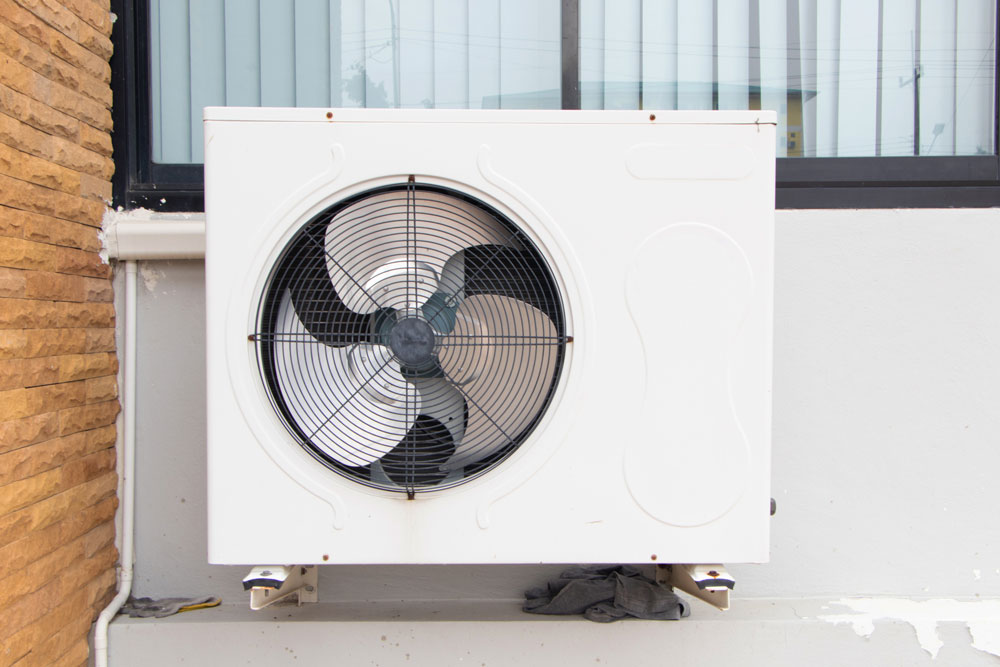
If your air conditioner’s fan isn’t working properly, it can severely impact the unit’s cooling efficiency. This guide will walk you through identifying common fan issues, ensuring you have the right tools and materials, and taking necessary safety precautions. You’ll learn how to check the power supply, inspect the fan motor, clean the fan blades, and even replace the capacitor if needed. With a focus on performance testing and voltage measurement, you’ll be prepared to tackle any fan-related problem. But before you start, do you know the first step in diagnosing these issues?
Identifying Fan Issues
To identify fan issues in your air conditioner, listen for unusual noises such as grinding, buzzing, or rattling that could indicate mechanical problems. These sounds often signal issues like a bent fan blade, worn bearings, or debris caught in the fan assembly. Paying close attention to these auditory cues is essential for diagnosing the problem accurately.
Next, visually inspect the fan blades for any signs of damage or imbalance. A bent or cracked blade can hinder the fan’s efficiency and cause vibrations, leading to further mechanical wear. Ensure the unit is powered off and isolated from the power supply to prevent accidental activation during inspection.
Check the motor for overheating. An overheating motor might indicate electrical issues, such as faulty wiring or a failing capacitor. A non-contact infrared thermometer is used to measure the motor’s temperature safely.

Tools and Materials Needed
For your air conditioner fan repair, gather essential tools and materials such as a multimeter, screwdrivers, a non-contact infrared thermometer, and replacement fan blades. These tools will enable you to diagnose and fix common issues efficiently and safely.
- Multimeter: This device measures electrical voltage, current, and resistance. It’s crucial to check if power is reaching the fan motor, ensure all connections are intact, and verify the continuity of electrical components.
- Set of Screwdrivers: Different screws may secure various parts of the fan assembly. A set with multiple sizes of Phillips and flat-head screwdrivers will help you quickly disassemble and reassemble the unit.
- Non-contact Infrared Thermometer: This tool measures surface temperature without direct contact. It’s beneficial for detecting overheating components, which can indicate underlying issues with the motor or bearings.
- Replacement Fan Blades: Damaged or unbalanced blades can cause vibration and reduced efficiency. Having the correct replacement blades on hand ensures you can restore optimal performance quickly.

Safety Precautions
Ensuring air conditioner fan repair safety requires meticulous attention to proper protocols and protective measures. Begin by disconnecting the unit from its power source to prevent electrical shock. Verify the power is off using a non-contact voltage tester. Don’t skip this step; it’s crucial for your safety.
Wear insulated gloves and safety goggles to protect against electrical hazards and debris. Your workspace should be well-lit and free of clutter to prevent accidents. Keep a fire extinguisher nearby in case of electrical fires.
When handling sharp components, use cut-resistant gloves. Exercise caution with the fan blades—they’re often sharp and can cause injury. Ensure the fan has completely stopped before touching any part of it.
Checking Power Supply
After securing your safety gear and workspace, verify that the air conditioner is receiving the correct voltage from its power supply. To prevent electrical hazards, turn off the power at the circuit breaker. Then, use a multimeter to measure the voltage at the air conditioner’s power terminals. Here’s how you can do it:
- Set the Multimeter: Adjust the multimeter to the appropriate voltage range. For most residential units, this will be around 240 volts AC.
- Inspect Power Terminals: Locate the power terminals in your air conditioner, usually found near the control panel. Ensure that the wires are securely connected and free from corrosion.
- Measure Voltage: Place the multimeter probes on the terminals. You should see a reading close to the rated voltage of your unit. Any significant deviation might indicate an issue with your home’s electrical supply.
- Check Connections: Examine the wiring connections for wear, fraying, or overheating signs. Replace any compromised wires to ensure a reliable power supply.

Inspecting the Fan Motor
Begin by disconnecting the power supply to the air conditioner to safely inspect the fan motor for any signs of damage or malfunction. Use a multimeter to check for continuity across the motor windings. If you detect an open circuit, the motor windings could be damaged, necessitating replacement. Additionally, examine the motor’s exterior for visible signs of wear, such as frayed wires or burn marks, which can indicate electrical issues.
Next, manually rotate the fan blades. They should move smoothly without resistance. If you notice any grinding or stiffness, the motor bearings may be worn out, requiring lubrication or replacement. Listen for unusual sounds like humming or rattling when the motor operates; such noises can pinpoint internal problems.
Check the capacitor connected to the fan motor. A faulty capacitor can prevent the motor from starting or running efficiently. Use a capacitance meter to ensure the capacitor’s rating aligns with the manufacturer’s specifications.
Cleaning the Fan Blades
Before cleaning, disconnect the power supply to the air conditioner to ensure your safety and prevent electrical hazards. A clean set of fan blades is crucial for optimal airflow and efficient cooling. Follow these steps to clean the fan blades meticulously:
- Access the Fan Blades: Remove the outer casing or grille of the air conditioner. This may require unscrewing several fasteners. Please keep them in a safe place to avoid losing any small parts.
- Dust and Debris Removal: Use a soft brush or a vacuum cleaner with a brush attachment to remove dust and debris from the fan blades gently. Ensure you reach all the nooks and crannies to eliminate any buildup that could impair performance.
- Wipe Down with a Damp Cloth: Moisten a cloth with a mild detergent solution. Carefully wipe each blade, ensuring you don’t bend or damage them. Avoid excessive moisture to prevent any electrical issues.
- Dry Thoroughly: Use a dry cloth to remove any remaining moisture after wiping. Ensure the fan blades are completely dry before reassembling the unit.

Replacing the Capacitor
Replacing the capacitor in your air conditioner requires precise handling and strict adherence to safety protocols to prevent electrical hazards. First, ensure the unit is entirely powered off by disconnecting it from the main power supply. Use a voltage tester to confirm there’s no residual charge. Capacitors store electrical energy, so discharging the old capacitor is crucial. Use an insulated screwdriver to short the terminals, safely releasing any remaining charge.
Next, locate the capacitor, typically housed in the condenser unit. Carefully note the wiring configuration—take a photo or label each wire to ensure accurate reassembly. Remove the mounting bracket, then disconnect the wires using needle-nose pliers. Handle the capacitor by its casing to avoid contact with terminals.
Install the new capacitor by following the reverse steps. Secure it with the mounting bracket and reconnect the wires exactly as they were. Double-check connections to prevent malfunctions. Remember, capacitors have polarity, so ensure the correct orientation.
Testing and Final Checks
Once the new capacitor is installed, double-check all connections and ensure the unit is securely reassembled before proceeding to the final tests. This crucial step guarantees that all components are correctly aligned and operate safely.
Begin by turning on the air conditioner’s power supply. Listen closely for any unusual noises that could indicate a problem. The fan should start smoothly and operate without excessive vibration or sounds.
Next, a multimeter measures the voltage at the fan motor terminals. This ensures the motor is receiving the correct power. A deviation from the expected voltage could mean an underlying electrical issue. To ensure everything is functioning correctly, follow these steps:
- Temperature Check: Measure the temperature differential between the intake and output air. It should be within the manufacturer’s specified range.
- Airflow Assessment: Ensure the airflow through the vents is steady and matches the unit’s specifications.
- Vibration Observation: Monitor for any unusual vibrations indicating misalignment or loose components.
- Continuous Operation Test: Let the unit run for at least 30 minutes to verify consistent performance and stability.
Conclusion
Like a seasoned pro, you have the ultimate toolkit to tackle any air conditioner fan issue. Following this guide will ensure your unit runs smoother than a well-oiled machine. Remember, safety is paramount—don’t skip those precautions. Whether diagnosing power supply problems or replacing capacitors, your attention to detail will make all the difference. Dive in and restore that refreshing, icy blast of cool air in no time. Your home’s comfort depends on it!