


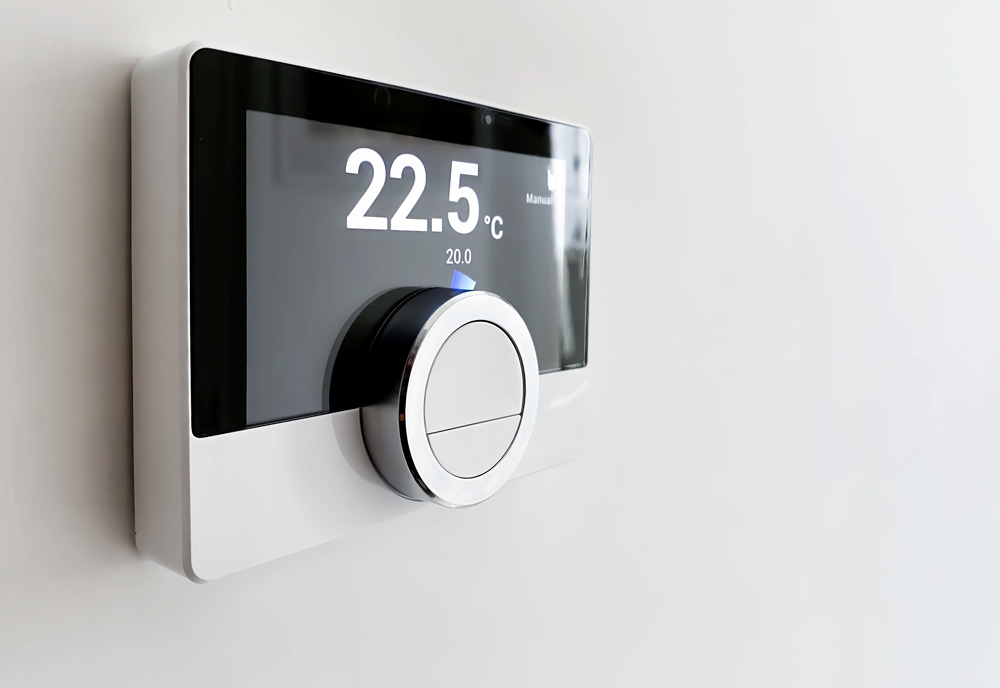
Making your home a bit more sophisticated with a smart thermostat installation isn’t as challenging as it might seem. You’ll first need to choose the right thermostat that matches your HVAC system and desired features. Next, gather the necessary tools and guarantee safety by turning off the power. Removing the old thermostat and labeling the wires are essential steps to avoid confusion later. Once you connect the wires and attach the new thermostat, you’ll restore power and configure the settings for peak performance. Ready to take the plunge? Let’s break it down step-by-step.
Choose the Right Thermostat
Selecting the right thermostat depends on your HVAC system compatibility, desired features, and budget constraints. First, identify your HVAC system type—single-stage, multi-stage, or heat pump. Check if your system supports a C-wire, which is essential for powering many smart thermostats. If your system lacks a C-wire, you might need a power adapter or a thermostat that operates without one.
Next, consider features that suit your needs. Do you want remote control via smartphone apps, integration with home automation systems like Alexa or Google Home, or advanced learning capabilities that adapt to your schedule? Energy-saving features, geofencing, and detailed usage reports can significantly enhance your user experience and efficiency. Understanding how smart thermostats revolutionize home heating can help you choose the perfect device for your home.
Budget is another critical factor.
Gather Necessary Tools
Before installing, ensure you have all the necessary tools to avoid interruptions. First, verify you have a flathead and a Phillips screwdriver. These are essential for removing the old thermostat and securing the new one. A voltage tester is indispensable; it confirms you’re working safely by verifying that the power is off.
Next, you’ll need a drill with the appropriate bits. Some walls might require pre-drilling for the mounting screws. A level will help you verify the new thermostat is perfectly aligned. Don’t forget wire strippers and needle-nose pliers for managing the thermostat wires.
Have a pencil or marker handy to mark screw holes and wire positions. Keep a roll of electrical tape close to secure wire connections if needed. A small flashlight can be invaluable when working in a dimly lit area.
Lastly, having the installation manual for your specific smart thermostat model is vital. It will provide model-specific instructions and troubleshooting tips. Gathering these tools before you begin streamlines the process and confirms a smooth, efficient installation.
Turn Off Power
With your tools ready, the next critical step is to turn off the power to your HVAC system at the circuit breaker to guarantee safety while working with electrical components. This step is non-negotiable as it eliminates the risk of electrical shock and potential damage to your system. Here’s how to do it:
- Locate the Circuit Breaker Panel: Typically found in basements, garages, or utility rooms, this panel houses the breakers for your entire home. Look for the label that corresponds to your HVAC system.
- Switch off the HVAC Breaker: Identify the breaker labeled “HVAC,” “Furnace,” or “Air Conditioner.” Flip the switch to the “Off” position. If the breakers aren’t labeled, switching off the main breaker is advisable. This will cut power to the entire house, ensuring complete safety.
- Verify Power is Off: Return to your thermostat and attempt to turn it on. If it doesn’t power up, you’ve successfully turned off the electricity. For added assurance, use a non-contact voltage tester to confirm there’s no live current in the wires.
Remove Old Thermostat
To remove the old thermostat, start by carefully taking off the thermostat cover to expose the wiring and mounting screws. Use a flathead screwdriver if necessary to gently pry the cover off. Once the cover is removed, you’ll see the terminal screws securing the wires. Be cautious not to tug on the cables, as they can be delicate.
Next, take a close look at the mounting screws holding the thermostat base to the wall. Using a Phillips or flathead screwdriver, depending on the screw type, unscrew these carefully. Keep one hand on the base to prevent it from falling once the screws are loosened.
Afterward, gently pull the thermostat base away from the wall. As you do this, ensure the wires remain intact and don’t retract into the wall cavity. Having a small piece of tape on hand is helpful for temporarily securing the wires to the wall.
Inspect the wall for any remaining components or debris from the old thermostat, like anchors or bits of drywall. Clean the area to guarantee a smooth installation surface for your new smart thermostat.
Label Wires
Now that you’ve removed the old thermostat, it’s important to label each wire connected to the terminal screws to guarantee proper reconnection to your new smart thermostat. Begin by identifying the wires coming from the wall. Most systems will have several color-coded wires, each corresponding to specific functions such as heating or cooling.
- Use Wire Labels or Masking Tape: Attach a piece of masking tape to each wire and write down the corresponding terminal label. For example, label a wire connected to the ‘R’ terminal as ‘R’.
- Take a Photo: Before disconnecting wires, take a clear, close-up photo of the wiring setup. This will be a reference in case any labels come off or you need a visual aid.
- Match Colors and Labels: While most wires will follow a standard color code (e.g., red for power, white for heat), it’s essential to verify and match the colors to the terminal labels you’ve noted. Consult your old thermostat’s manual if necessary, or look for any documentation that came with your HVAC system.
Install New Mounting Plate
Secure the new mounting plate to the wall by aligning it with the existing holes and using the provided screws. Before you start, verify the wall surface is clean and dry. Position the mounting plate over the pre-existing holes where your old thermostat was attached. If the holes don’t align perfectly, use a level to ensure the plate is straight, and mark new pilot holes with a pencil.
Using a drill, create pilot holes for the screws if necessary. This helps prevent the wall from cracking or the screw from slipping. Insert the provided wall anchors if you mount on drywall to guarantee a secure fit. Once the anchors are in place, position the mounting plate again and insert the screws through the designated holes, tightening them until the plate is flush and secure against the wall.
Connect the Wires
Carefully identify each wire from the wall and match them to the corresponding terminals on your smart thermostat. To guarantee safety, start by turning off the power to your HVAC system. Use the wire labels from your old thermostat or the provided wire labels to tag each wire. This step is vital for preventing any confusion.
- Connect the C-Wire (Common Wire): If your system has a C-wire, attach it to the terminal marked ‘C’ on your new thermostat. This wire provides continuous power and is necessary for many smart thermostats.
- Connect the Heating and Cooling Wires: Typically, the wires for heating are labeled ‘W’ and for cooling ‘Y.’ Attach these wires to the corresponding ‘W’ and ‘Y’ terminals on the thermostat. Verify a snug fit to prevent loose connections.
- Attach the Fan Wire: The fan wire, usually labeled ‘G,’ connects to the ‘G’ terminal. This wire controls the fan operation independently of the heating and cooling cycles.
Double-check each connection before proceeding. Confirm that no wires are frayed or touching each other, as this could cause a short circuit. Once all cables are securely connected, you can move on to the next step.
Attach Smart Thermostat
Align the thermostat base with the mounting plate and ensure it securely clicks into place. Hold the base so the connectors align with the terminal screws and the pins fit into the designated slots. Apply gentle but firm pressure until you hear a click, indicating a secure attachment.
Next, verify that the base is level using a spirit level. An uneven base can cause issues with temperature readings and overall functionality. If adjustments are needed, carefully reposition the base and tighten the mounting screws to stabilize it.
Once the base is correctly attached, align the smart thermostat’s display unit with it. Most models have guide rails or pins to help with alignment. Slide or snap the display unit onto the base, ensuring it’s snug and flush with the wall.
Double-check all connections, making sure there are no loose wires or obstructions. A loose connection can impede the thermostat’s operation and compromise its efficiency.
Restore Power
Now that the smart thermostat is securely attached flip the circuit breaker back on to restore power to the HVAC system. Head to your electrical panel and locate the breaker you turned off earlier. Switch it back to the ‘on’ position. This action will re-energize the system, allowing the thermostat to initialize.
After restoring power, confirm the following:
- Thermostat Power-Up: Check that the thermostat’s display screen lights up. If it doesn’t, verify the wiring connections and ascertain the power source is active.
- HVAC System Response: Listen for any sounds indicating the HVAC system is responding, such as the blower motor kicking in. This confirms that the system is receiving power and communication from the thermostat.
- Circuit Stability: Observe the breaker for a few minutes to confirm it remains in the ‘on’ position without tripping. If it trips, a short or an overload issue may require further inspection.
Conclusion
You’ve successfully installed your smart thermostat, ensuring your home’s comfort and energy efficiency. Did you know how a smart thermostat saves you money by reducing energy costs by up to 10-12% on heating and 15% on cooling annually? That’s a significant reduction in energy bills while promoting sustainability. By following these detailed steps, you’ve enhanced your home’s automation and made a savvy investment. Enjoy the convenience and savings your new smart thermostat brings. For further optimization, explore advanced settings and energy reports.