
Like a well-oiled machine, your AC needs regular upkeep to run smoothly. You might not realize how crucial it is to inspect the thermostat or clean those filters, but these tasks can make a significant difference. Have you ever wondered what else is needed to ensure your system doesn’t break down during the hottest days? Focusing on crucial maintenance areas can prevent unexpected repairs and comfort your home. Let’s explore the essential steps to maintain your AC effectively.
Inspect the Thermostat
Begin by checking if your thermostat is calibrated correctly and functioning accurately. Set the thermostat to a specific temperature, then use an accurate thermometer to compare the actual room temperature against the thermostat’s reading. If there’s a significant discrepancy, recalibrate the thermostat according to the manufacturer’s instructions, often found in the user manual or online.
Next, verify the thermostat’s location. It should avoid direct sunlight, drafts, doorways, and windows, as these factors can cause false readings. If necessary, relocate the thermostat to an interior wall, away from these influences.
Inspect the thermostat’s power supply. For battery-operated units, replace the batteries annually. For wired units, ensure there’s no corrosion or loose connections at the terminal screws. Tighten any loose screws and clean off any corrosion with a contact cleaner.

Clean or Replace Filters
Your AC system’s efficiency relies heavily on clean filters, which trap dust, pollen, and other airborne particles. You should inspect the filters monthly to maintain optimal airflow and energy efficiency. If your unit uses disposable filters, replace them every 1-3 months, depending on usage and air quality. Clean reusable filters with water and a mild detergent, ensuring they’re completely dry before reinsertion.
First, turn off the AC unit to ensure safety. Locate the filter compartment near the return air duct or blower compartment. Carefully remove the filter, noting its orientation for accurate reinstallation. If the filter appears dark and clogged, it’s time to replace or clean it.
For disposable filters, choose one with the correct size and MERV (Minimum Efficiency Reporting Value) rating. A higher MERV rating means better filtration but can restrict airflow if it is too high. For reusable filters, rinse off debris, soak in soapy water, and rinse thoroughly. Let it dry completely to avoid mold growth.
Check Electrical Components
To ensure your AC unit operates safely and efficiently, inspect the electrical components, including the wiring, capacitors, and contactors, for signs of wear or damage. Begin by switching off the power to your unit at the breaker panel. Carefully remove the access panel to expose the electrical components.
First, examine the wiring for frayed or discolored insulation, which could indicate overheating or potential shorts. Tighten any loose connections using a screwdriver, as loose wires can cause arcing and affect performance.
Next, check the capacitors, which are crucial for starting the compressor and fan motors. Look for bulging, leaks, or corrosion on the capacitor terminals. A multimeter measures the capacitance and compares it with the manufacturer’s specifications. Replace any capacitor that falls outside the acceptable range.

Examine the Condensate Drain
Inspect the condensate drain for clogs, algae buildup, or leaks to ensure proper drainage and prevent water damage. Start by locating the condensate drain line, usually a PVC pipe near the air handler. Disconnect the drain line from the unit and use a wet/dry vacuum to remove clogs. Attach the vacuum hose to the drain line’s end and seal it with duct tape for a tight fit. Run the vacuum for a few minutes to clear the obstruction.
Next, check for algae buildup inside the drain pan. Algae can restrict water flow, leading to overflows. Use a mixture of water and mild detergent to clean the pan, scrubbing gently with a brush. Add a commercial algaecide or a few drops of household bleach to the pan to inhibit future growth for preventive maintenance.

Inspect Coils and Fins
Regularly cleaning and inspecting the evaporator, condenser coils, and fins is crucial for maintaining your AC unit’s efficiency and longevity. Start by turning off the power in the breaker box. Remove the access panel to expose the coils. For the evaporator coils, use a soft brush to clear away dust and debris. If the buildup is substantial, consider using a no-rinse coil cleaner formulated explicitly for HVAC systems.
Next, examine the condenser coils located outside. Remove any debris, such as leaves or grass clippings. Use a coil cleaning solution, spraying it evenly across the surface. Allow it to sit for the recommended time before rinsing it off with a garden hose, ensuring you don’t bend the fins.
Speaking of fins, they are delicate and can easily get bent, obstructing airflow. Use a fin comb to straighten any bent fins; these combs are designed to fit the fins’ spacing. This not only improves airflow but also enhances the overall efficiency of your unit.
Lubricate Moving Parts
Lubricate the motor bearings and other moving parts to reduce friction and prevent wear for optimal performance. Start by locating the fan and blower motors. Use a high-quality, non-detergent oil designed for electric motors. Check your owner’s manual for the recommended oil type and lubrication points.
First, disconnect the power supply to the unit to avoid any electrical hazards. Remove the access panel to expose the motor and other moving parts. You’ll typically find oil ports on the motor. Clean these ports with a cloth to remove any debris. Apply a few drops of oil into each port, ensuring you don’t over-lubricate as excess oil can attract dirt and cause damage.
Next, inspect the blower wheel and fan blades for signs of wear or obstruction. Spin the blower wheel manually to check for smooth operation. Lubricate any additional moving parts, such as the shaft and bearings. Reassemble the access panel and reconnect the power supply.

Test System Performance
Once you’ve finished lubricating the moving parts, it’s time to evaluate your AC unit’s overall performance to ensure it’s operating at peak efficiency. First, set your thermostat to a temperature lower than the current room temperature to initiate a cooling cycle. Observe the unit for unusual sounds or vibrations that may indicate underlying issues.
Next, a digital thermometer will measure the temperature differential between the air entering the return vent and the air exiting the supply vents. Ideally, this should range between 15-20°F. A significant deviation could indicate problems with your refrigerant levels or airflow obstructions.
Check the airflow by placing your hand near the supply vents. Robust and consistent airflow is crucial for optimal cooling. If airflow feels weak, inspect your air filters, ductwork, and blower motor for potential blockages or damage.
Monitor the condenser unit outside. Ensure the fan is running smoothly and that no debris obstructs the airflow. Additionally, verify that the refrigerant lines are free from ice buildup, which could signify a refrigerant leak or other issues.

Schedule Professional Maintenance
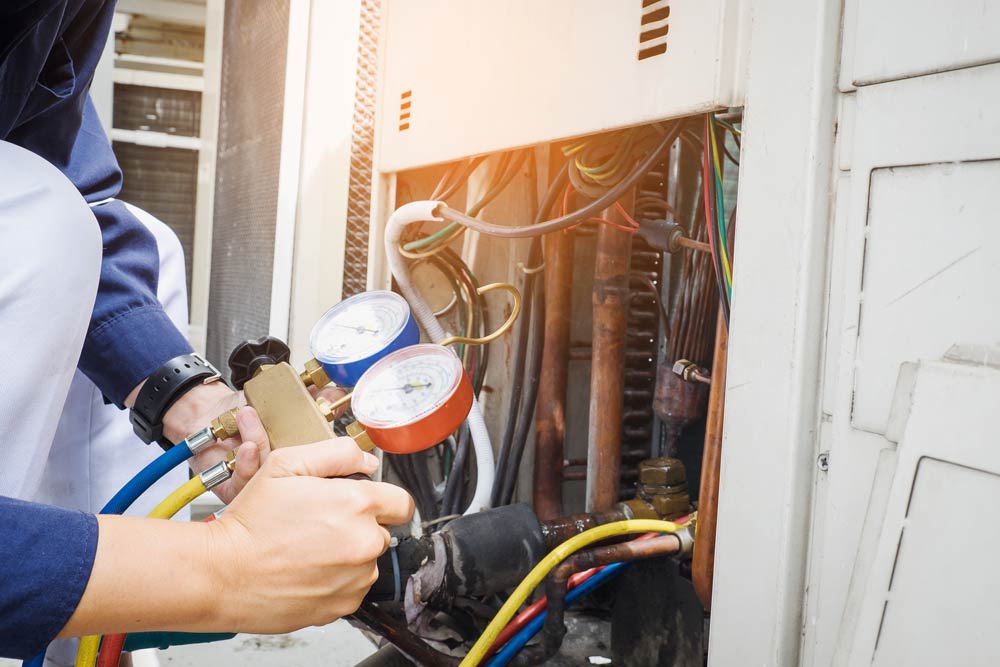
Why should you schedule professional maintenance for your AC system? Regular professional maintenance ensures your AC unit operates at peak efficiency. HVAC technicians have the expertise to identify and rectify issues you might overlook. They perform critical tasks like checking refrigerant levels, inspecting electrical components, and cleaning coils. These steps prevent minor problems from escalating into costly repairs, ensuring your system’s longevity.
First, locate a certified HVAC technician with a solid reputation. It’s crucial to schedule bi-annual maintenance visits—typically in spring and fall. During these visits, the technician will calibrate the thermostat, inspect ductwork for leaks, and test system pressures. They’ll also examine the blower motor, ensuring optimal airflow and efficiency.
Don’t forget to ask the technician to check the condensate drain for clogs, which can lead to water damage and mold growth. Replacing worn-out parts promptly prevents future breakdowns if the technician identifies worn-out parts. Additionally, they’ll verify that the system’s electrical connections are secure, reducing fire hazards.

Conclusion
You’ve tackled the checklist, ensuring your ACs are in top shape. But have you scheduled that bi-annual professional maintenance yet? Without it, hidden issues could lurk, waiting to strike when you least expect. Will your system withstand the summer’s heat or the winter’s chill? Only a pro can tell. So, take the final step—schedule that appointment now. Don’t let minor issues turn into costly repairs. Your comfort and the system’s longevity depend on it.